DIG FOR
TREASURE
A 3D digging game. Scoop holes in the ground, find treasure, and explore the caves underneath. Carry what you find back to the shop, sell it, and buy a better pickaxe to dig deeper. Watch out for what lives in the caves.
PLAY IT NOW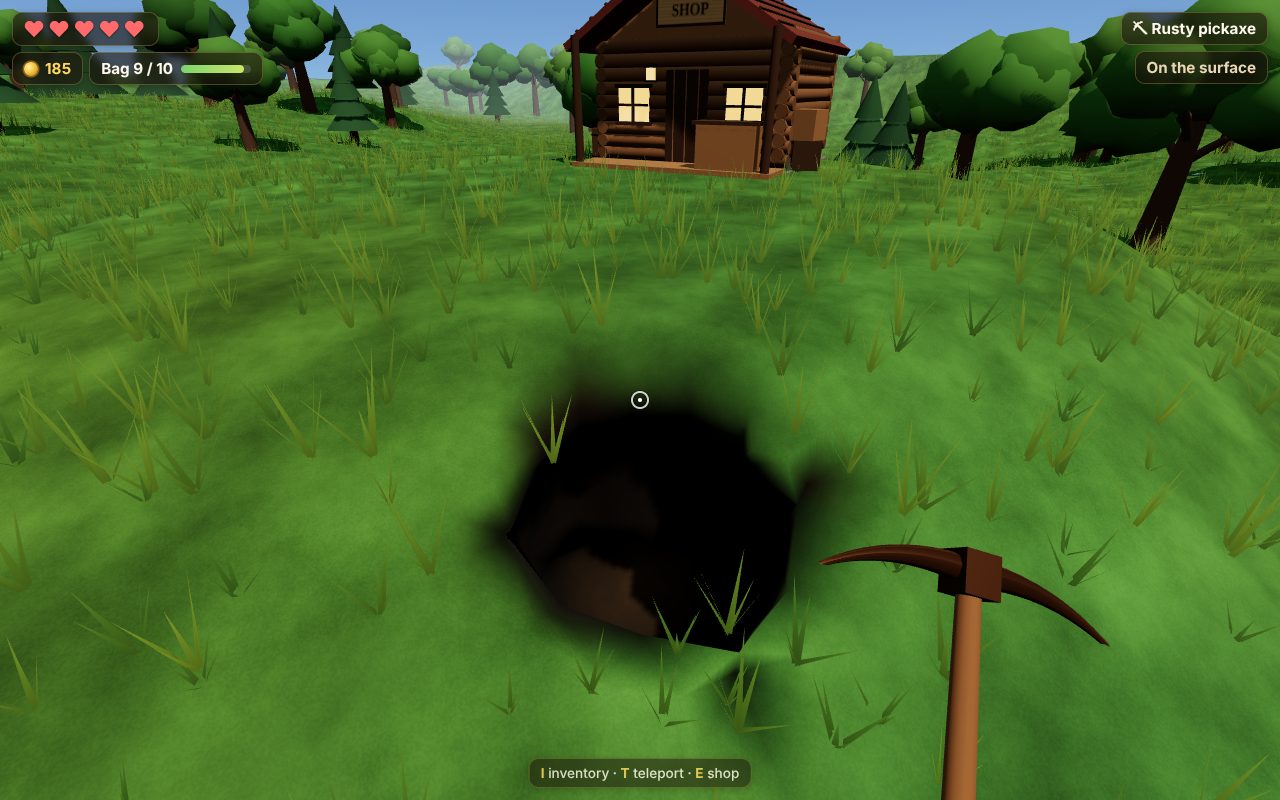
WHAT YOU DO
You start at your base, next to the shop, with an old rusty pickaxe. Walk away from the base and start digging. The ground is smooth, so you can scoop a hole anywhere, as deep as your pickaxe can go.
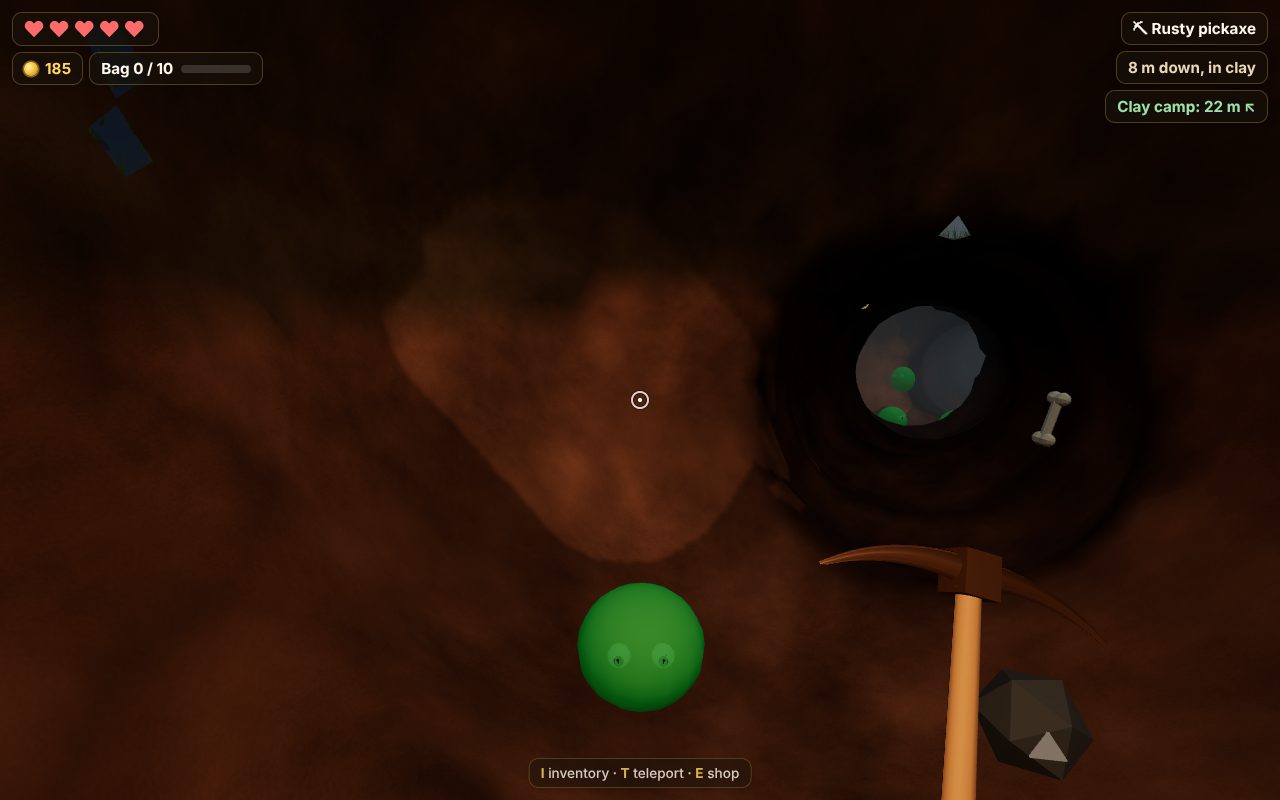
- Dig deeper: the ground has layers: soil, clay, stone, hard rock and crystal rock. Your rusty pickaxe only digs soil and clay, so you'll need better ones to go further down.
- Find treasure: lost toys and gold coins near the top, then fossils and silver, then gold, ancient artifacts and rubies, and crystals and diamonds at the very bottom. The deeper it is, the more it's worth.
- Explore the caves: deep underground are winding caves, and monsters live in their rooms: cave slimes, rock crabs, shadow bats and, deepest of all, crystal golems. Each one you beat drops a material you need for upgrades.
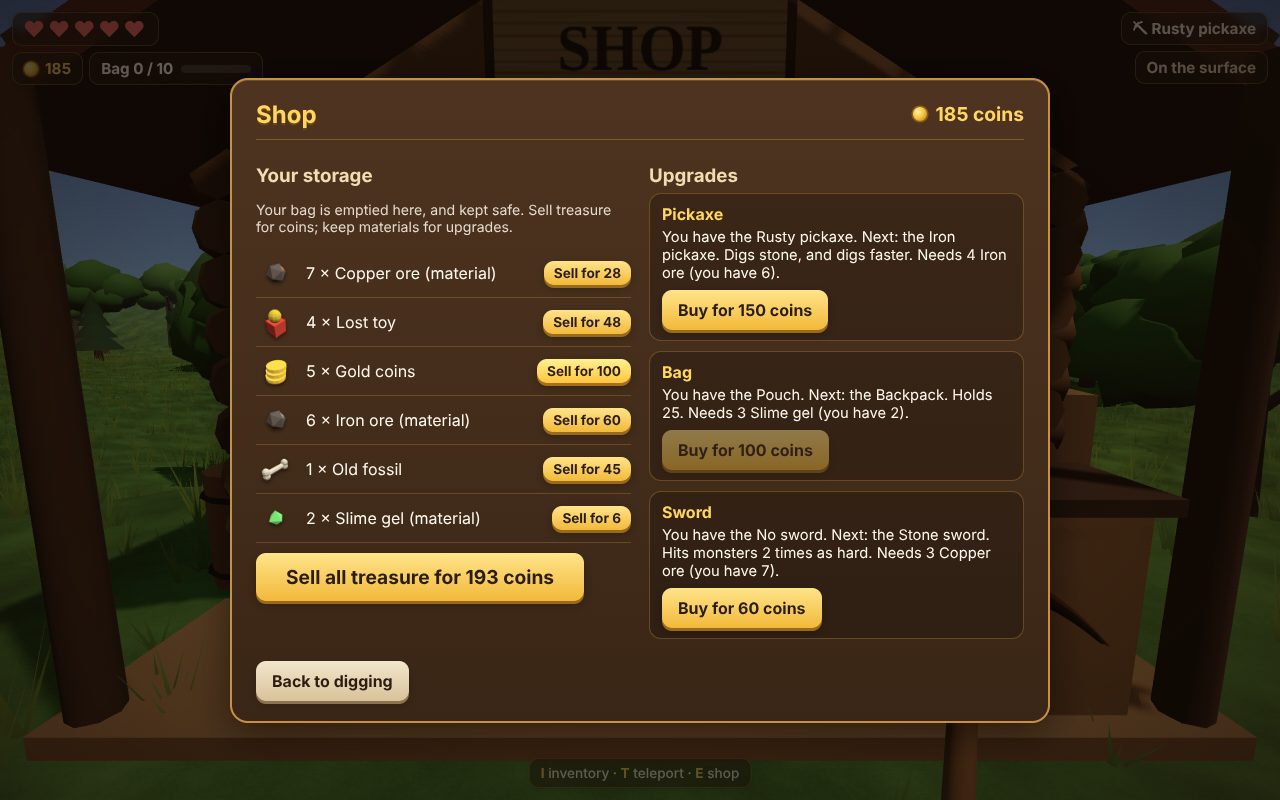
- Sell and upgrade: your bag only holds so much. Carry it back to the shop, sell your treasure for coins, and keep ores, gems and monster drops for upgrades: a better pickaxe digs harder ground, faster; a bigger bag carries more; a sword hits monsters harder.
- Stay safe: you have five hearts. If the monsters get you, you lose what's in your bag and wake up back at your base. There's a camp in each layer underground, a safe room with a lantern where monsters can't come in. The last camp you reached is where you wake up instead.
- Get home: walk back, or teleport to your base or a camp you've found. It costs 10 coins, or you can drop a fifth of what's in your bag instead.
HOW TO PLAY
On a computer: walk with W A S D or the arrow keys, run by holding Shift, and jump with Space. Click the game, then move the mouse to look around (Esc lets the mouse go). Hold the mouse button to dig wherever the dot points; look straight down to dig a hole under your feet. Point at a monster and hold the button to fight it. Next to the shop, E opens it. I opens your inventory and T teleports you.
On a phone or tablet: the thumb pad walks, and dragging the view looks around. There are buttons to dig, jump, open the shop, open your bag and teleport.
The title screen shows the controls too.
PUT IT ON YOUR HOME SCREEN
The best way to play is from Dig for Treasure's own icon on your desktop or home screen. It opens like an app, full screen, without the browser around it. Press Play it now first, then:
Windows or Chromebook (Chrome or Edge)
Click the Install button at the right of the address bar. Or open the browser's menu (⋮ or …) and choose Install Dig for Treasure (in Edge: Apps, then Install this site as an app).
iPhone or iPad
In Safari, tap the Share button (a square with an arrow pointing up), then Add to Home Screen, then Add.
Android phone or tablet
In Chrome, tap the menu (⋮), then Add to Home screen or Install app.
Mac (Safari)
Choose File, then Add to Dock. (In Chrome or Edge on a Mac, use their Install button instead.)
Firefox on a computer
Firefox can't install games as apps. Bookmark the game instead, or open it in Chrome or Edge to install it.
WHERE IT WORKS
- Computers with a keyboard and mouse: Windows, Mac, Chromebook, Linux.
- Phones and tablets, with a thumb pad and buttons on the screen.
- Your world, with every hole you've dug, is saved in the browser on that device. On an iPhone, the game on your home screen keeps its own save, apart from the one in Safari.
FOR PARENTS
Every player is treated as under 13. There's no chat and no online play: nobody else is in your child's game. There are no ads or trackers. Nothing about your child is collected; the game is saved in the browser on your device.
The monsters are cartoon cave creatures, like a round green slime. Nothing is gory: when the monsters win, the player simply wakes up back at their base or camp.
If your family enjoys our games, you can leave a tip. It's never needed to play.