WALK-A-BOUT
70,000 BC
A 3D exploring game. Step out of your time machine into Australia 72,000 years ago, before the first people arrived. Photograph the animals, giant ones too, and fill your field guide. Watch out: most of them want to hurt you.
PLAY IT NOW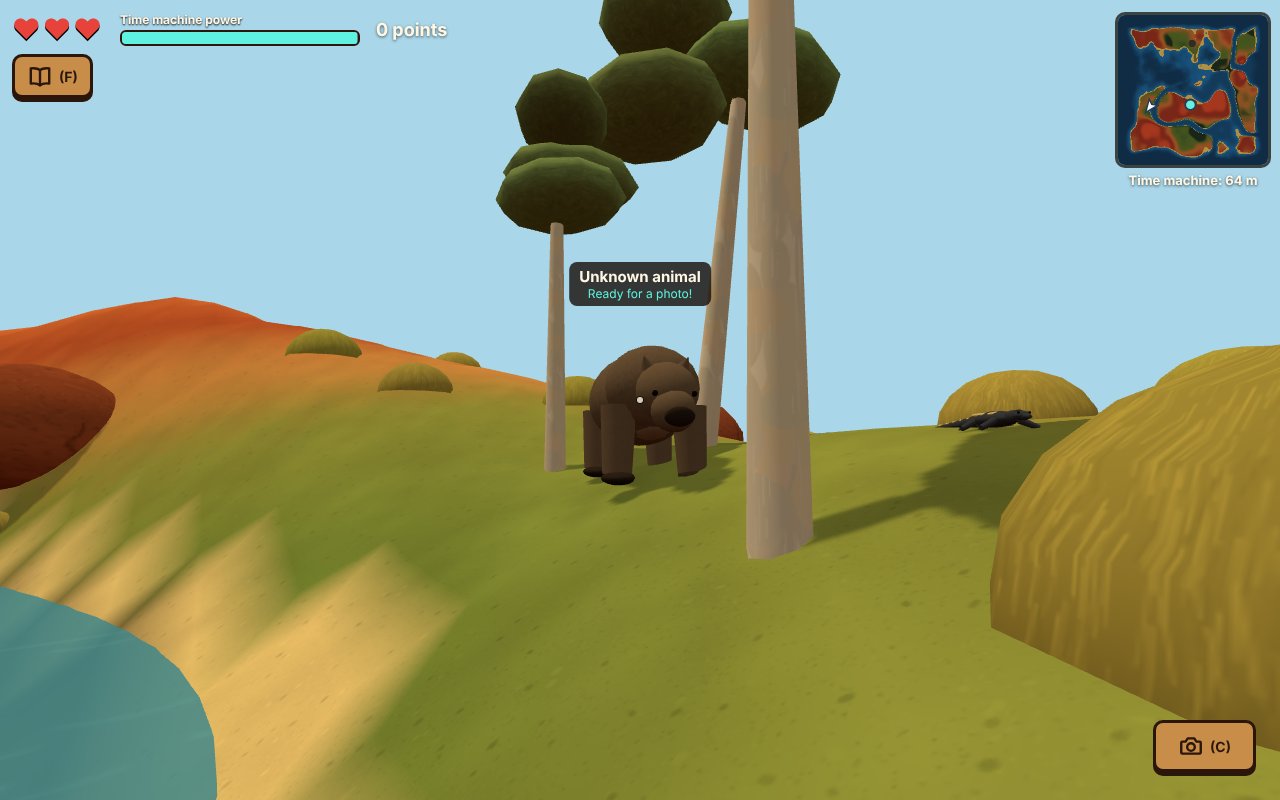
WHAT YOU DO
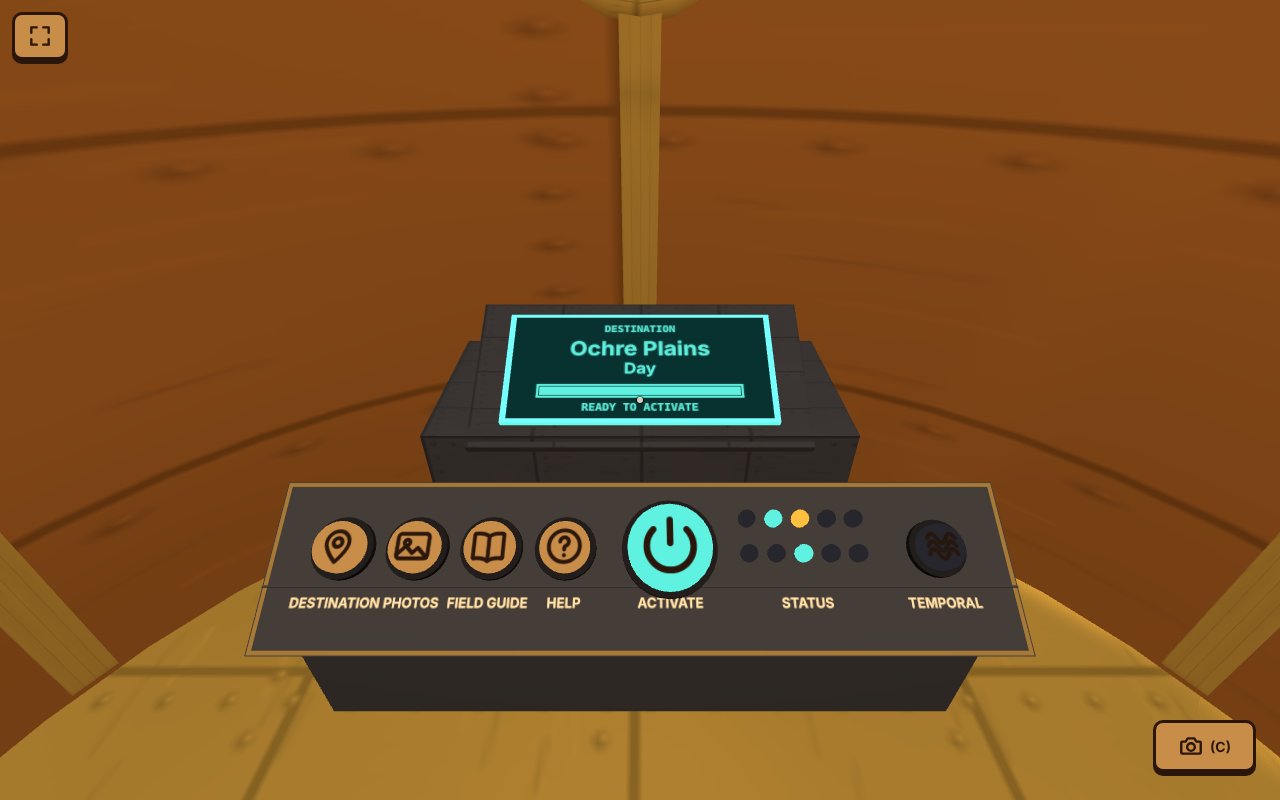
You're a time traveller. Every trip starts inside your time machine. Press Activate, the door opens, and you step out into Australia long ago. You can't catch the animals, so you photograph them instead. Get back to the time machine before its power runs out.
- Take photos: aim the dot at an animal and take a photo. Get close, or catch it charging or striking, for more points. Each new kind of animal is worth 100 extra points and goes in your field guide.
- Bring them back: your photos wait on your camera until you stand next to the time machine again. Then they upload, and their points are yours. Animals that get you cost you hearts, and if you lose all three, the time machine pulls you back to safety. If the power runs out, it drags you home. Either way, the photos you hadn't uploaded are lost.
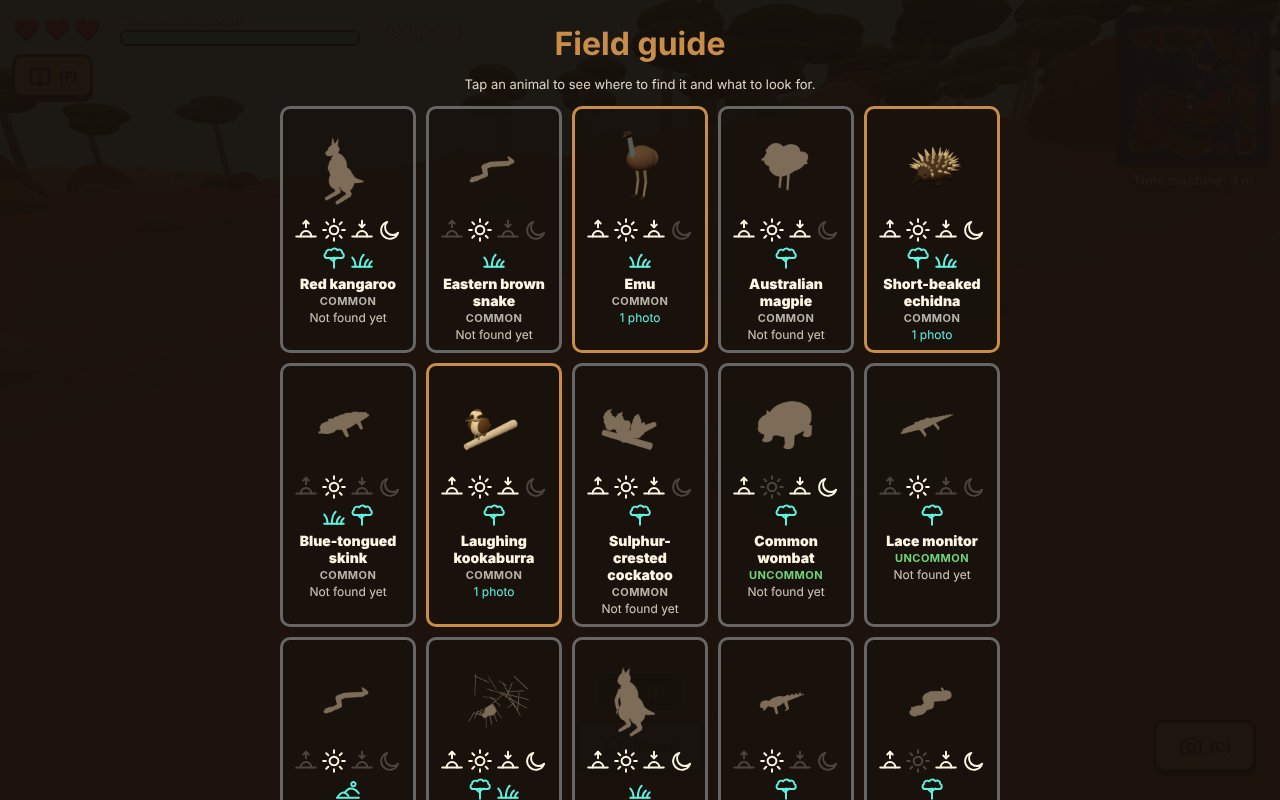
- Fill the field guide: there are 49 kinds of animal to find, from kangaroos and koalas to 13 giant animals that are gone today, like Diprotodon, the marsupial lion and Megalania, a giant goanna. Each place has only some of them, so you'll need to go to lots of places. And somewhere, in just one place, is something that shouldn't be there at all.
- Explore: woodland and grassy plains, rivers, red sand dunes, rainforest, rock pools, dark caves, and the deep sea, where you have to swim.
- Pick a time: arrive at dawn, in the day, at dusk or at night. Some animals only come out after dark, and their photos are worth more. When it's dark, your helmet lights switch on.
- Go places: every place has a name like Ochre Plains, made from two lists of words. The same name is the same place for everyone, so tell a friend where you went.
- Keep your photos: every photo you upload goes in your album, with the animal, its points, and where and when you took it written on the picture. Save it or share it.
HOW TO PLAY
On a computer: walk with W A S D, run by holding Shift, jump with Space, and sneak by holding Z. Click the game, then move the mouse to look around (Esc lets the mouse go). Take a photo with C or a click. F opens the field guide and M makes the map big. Next to the time machine, Enter goes home.
On a phone or tablet: the left thumb pad walks (push it all the way out to run), and the right one looks around. Tap the view or the camera button to take a photo. There are buttons to jump and to sneak, too.
The first time you press Activate, a How to play screen shows the controls. The Help button in the time machine shows it again, and, where the browser allows it, the Full screen button hides the address bar.
PUT IT ON YOUR HOME SCREEN
The best way to play is from Walk-a-bout's own icon on your desktop or home screen. It opens like an app, full screen, without the browser around it. Press Play it now first, then:
Windows or Chromebook (Chrome or Edge)
Click the Install button at the right of the address bar. Or open the browser's menu (⋮ or …) and choose Install Walk-a-bout (in Edge: Apps, then Install this site as an app).
iPhone or iPad
In Safari, tap the Share button (a square with an arrow pointing up), then Add to Home Screen, then Add.
Android phone or tablet
In Chrome, tap the menu (⋮), then Add to Home screen or Install app.
Mac (Safari)
Choose File, then Add to Dock. (In Chrome or Edge on a Mac, use their Install button instead.)
Firefox on a computer
Firefox can't install games as apps. Bookmark the game instead, or open it in Chrome or Edge to install it.
WHERE IT WORKS
- Computers with a keyboard and mouse: Windows, Mac, Chromebook, Linux.
- Phones and tablets, with thumb pads on the screen.
- Your field guide, score and photos are saved in the browser on that device. On an iPhone, the game on your home screen keeps its own save, apart from the one in Safari.
FOR PARENTS
Every player is treated as under 13. There's no chat and no online play: nobody else is in your child's game. Nobody types anything, and even the place names are picked from lists of words. There are no ads or trackers. Nothing about your child is collected; the game is saved in the browser on your device.
The photos are pictures of the game world, never from a real camera, and they stay in the browser. The share button uses your device's own share menu (on a computer, it saves the picture as a file), so a photo only goes where your child sends it.
The game has animals and land only, with no people. Nothing is gory: when an animal gets the player, the time machine pulls them back to safety.
If your family enjoys our games, you can leave a tip. It's never needed to play.